 Pesewa POS
For provision shops and mini-marts in Ghana
Every pesewa, accounted for.
Sell fast, print receipts with your own logo, keep stock right and close every shift with a blind cash count. One Windows program. It works without internet, and your data stays on your shop computer.
Windows 10 and 11. Free forever, with 14 days of Premium to try. One file (14 MB): open it and press Yes to install. Help installing
Everything a busy counter needs
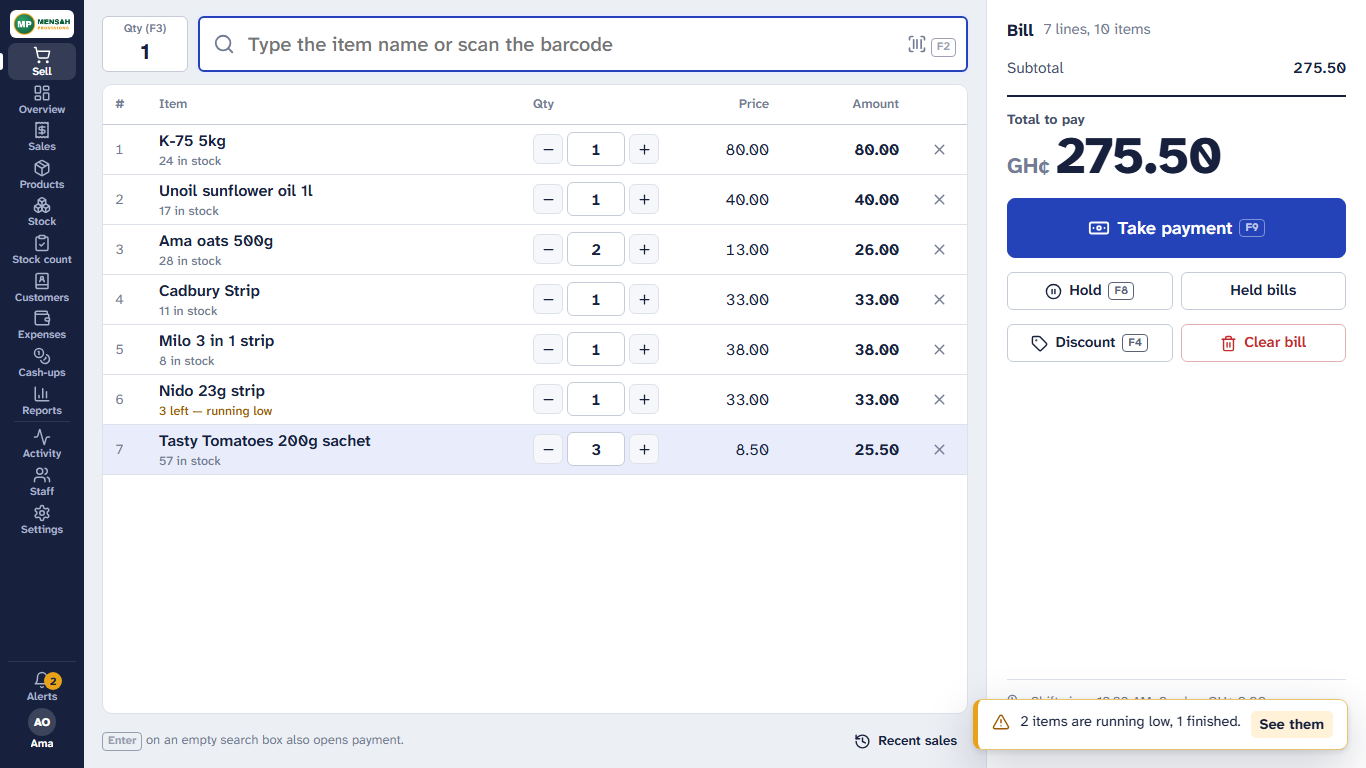
Selling in seconds
Type part of a name or scan the barcode and press Enter. 3*milo adds three. Cash with change worked out, MoMo, card, or credit for a named customer.
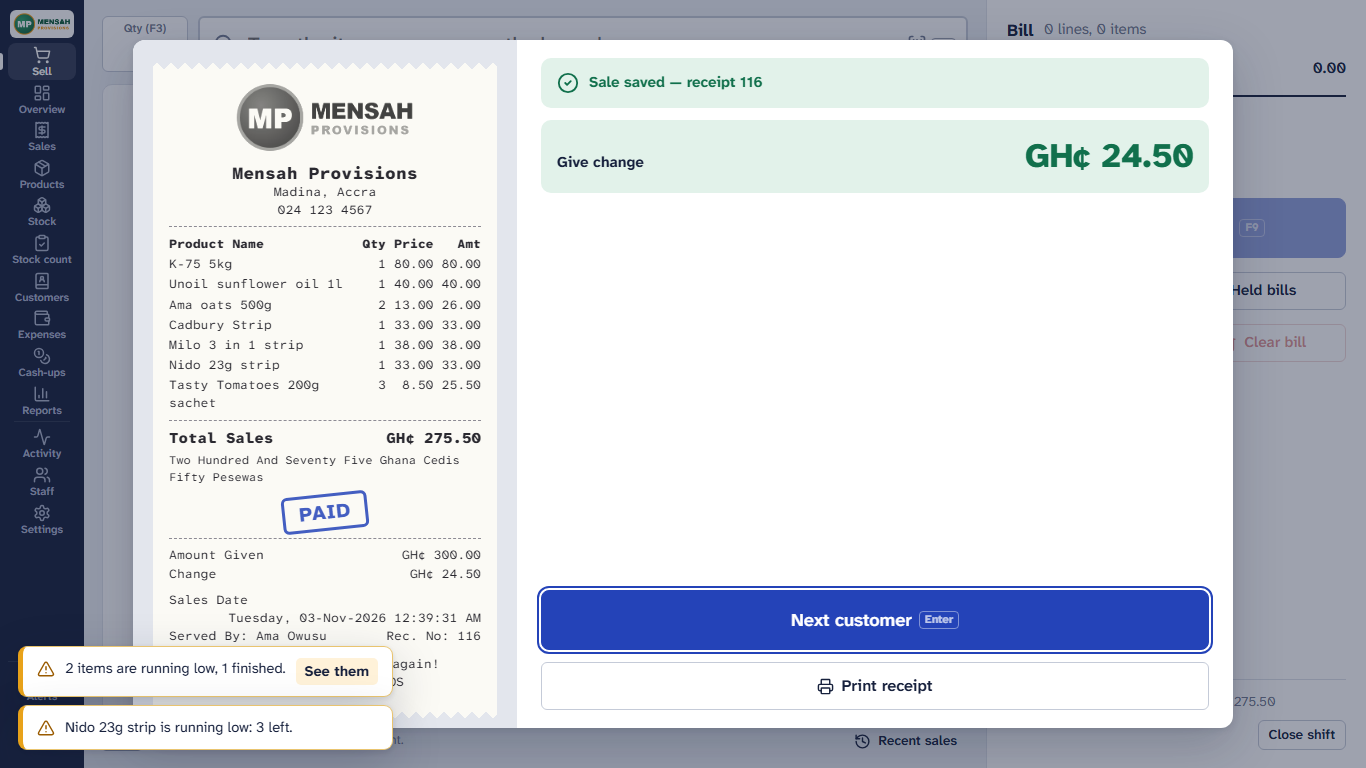
Your receipts, your logo
Prints straight to thermal receipt printers (58 and 80 mm) or any Windows printer, with your shop's name, logo and the amount in words.
Stock that adds up
Receive deliveries, record damaged or expired goods with a reason, and run stock counts while you keep selling. Low-stock warnings before you run out.
Honest cash-ups
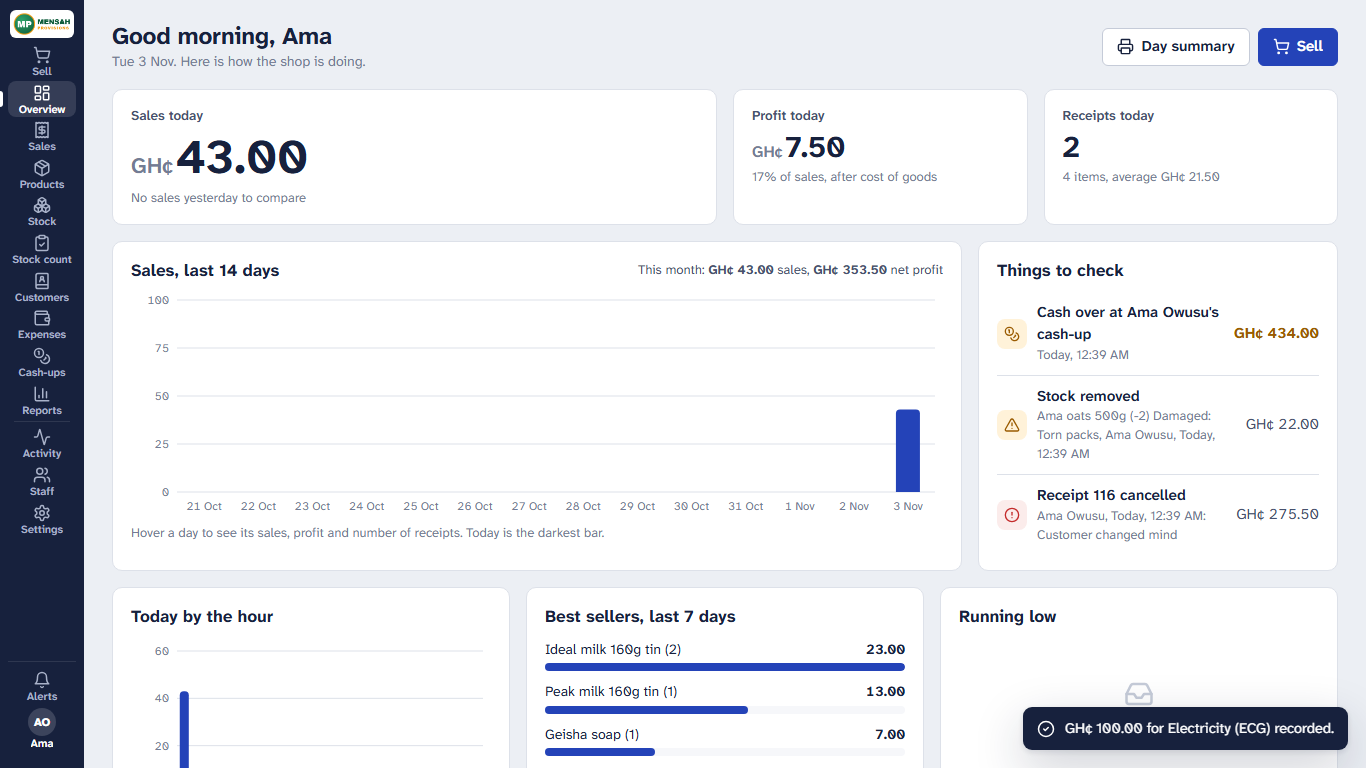
Each cashier starts with a counted float and ends with a blind count. The program shows if the drawer is short or over, and by how much.
Profit you can trust
Profit and loss from the real cost of what you sold, expenses and stock losses. Best sellers, slow movers and a day summary for the end of the day.
Nothing disappears
Sales can be cancelled but never deleted. Price changes, discounts, cancelled sales and stock changes are all recorded with the name of who did them.
Premium prices
Pay with Mobile Money or a card. You pay for a period up front; nothing renews by itself, and you can renew early at any time.
Every new install gets 14 days of Premium free. After a period ends you keep Premium for 7 more days, so a late payment never stops the shop.
Questions
How do I install it?
Press Download free on the shop computer. If the browser asks whether to keep the file, choose Keep. Open the file. Windows may show "Windows protected your PC" because Pesewa POS is new: press More info, then Run anyway. Press Yes to install it. Pesewa POS opens, and you find it on the Desktop and in the Start menu from then on. To remove it later: Windows Settings › Apps. Your shop data is kept.
Does it need internet?
No. Everything works offline. Premium needs internet for a moment when you first switch it on, and checks in now and then when the computer is online.
Where is my shop's data kept?
On your shop computer, with automatic backups every 2 hours. You can also copy backups to a flash drive or OneDrive. Nothing leaves the computer unless the admin switches on Pesewa POS Online (Premium): then a copy of the sales and a daily backup are kept on our server so you can see them on your phone. You can switch it off and delete that copy at any time.
Can I see my sales on my phone?
Yes, with Premium. On the shop computer, go to Settings › Premium, switch on Pesewa POS Online and press Open on my phone. Type the code it shows at this website's /shop page. Your phone then shows today's sales, the money by cash, MoMo and card, each cashier's sales, and any receipt, updated within minutes while the shop computer has internet.
What happens when Premium runs out?
You get 7 extra days. After that the Premium extras stop until you renew. Selling, stock, cash-ups and all your records keep working.
Can I get my money back?
Yes. If you ask within 7 days of your first payment, we refund it in full, no questions asked. Automatic renewal can be stopped any time before the next charge. See the refund policy.
We bought a new computer. Can we move Premium?
Yes. Install Pesewa POS on the new computer and enter your key: it moves by itself, up to 2 times a year. Lost the key? Get it again by email.
Which printers work?
Most 58 mm and 80 mm thermal receipt printers (Epson TM, Xprinter and similar), and any printer Windows can print to.